
Try clothes on
without a fitting room.
Virtual try-on for fashion web shops: on the product page a shopper adds their photo and in about half a minute sees themselves in that item, with no account and without leaving your site.
The demo takes 30 minutes, in person or over a video call. No obligation.
The demo boutique, the person and the items are generated. All try-ons are real, from the platform. Music: Happy Beats & Business Moves Vol. 12, Sascha Ende (ende.app), license CC BY 4.0, modified for the video.
0:110:10Button and consent1 / 5
The shopper stays
on your site.
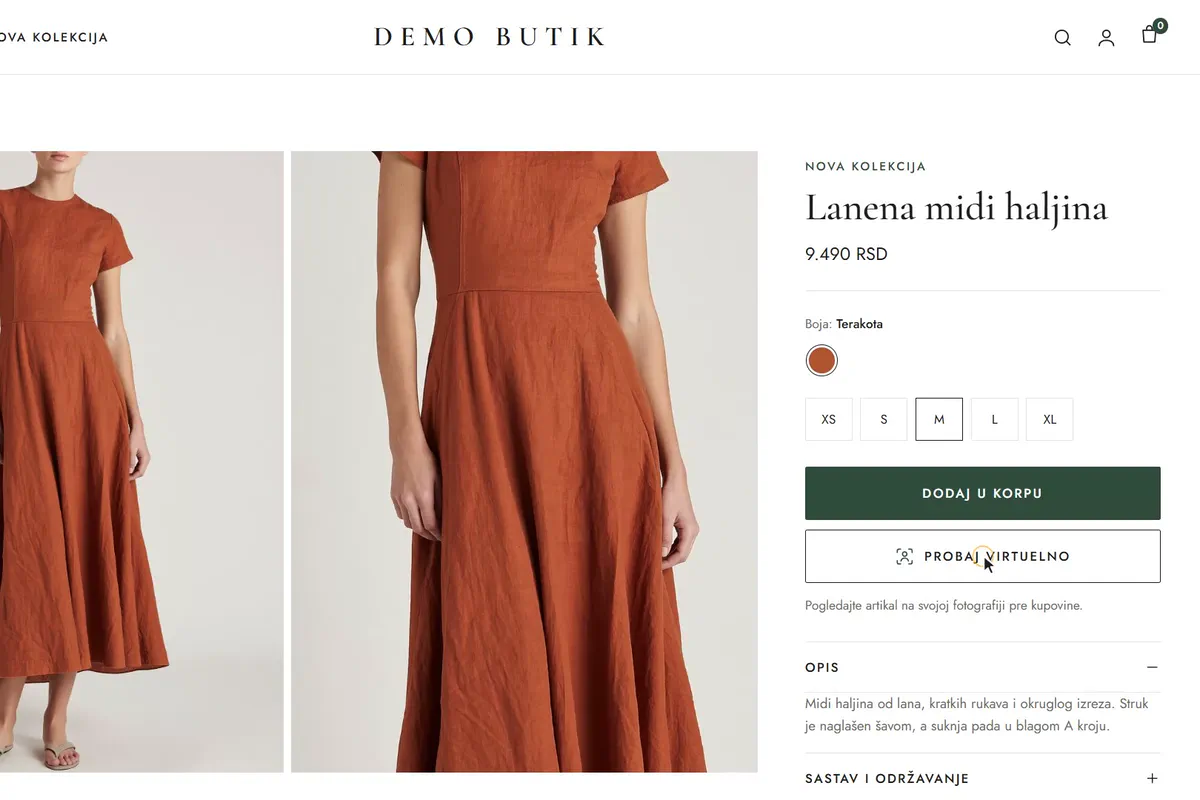
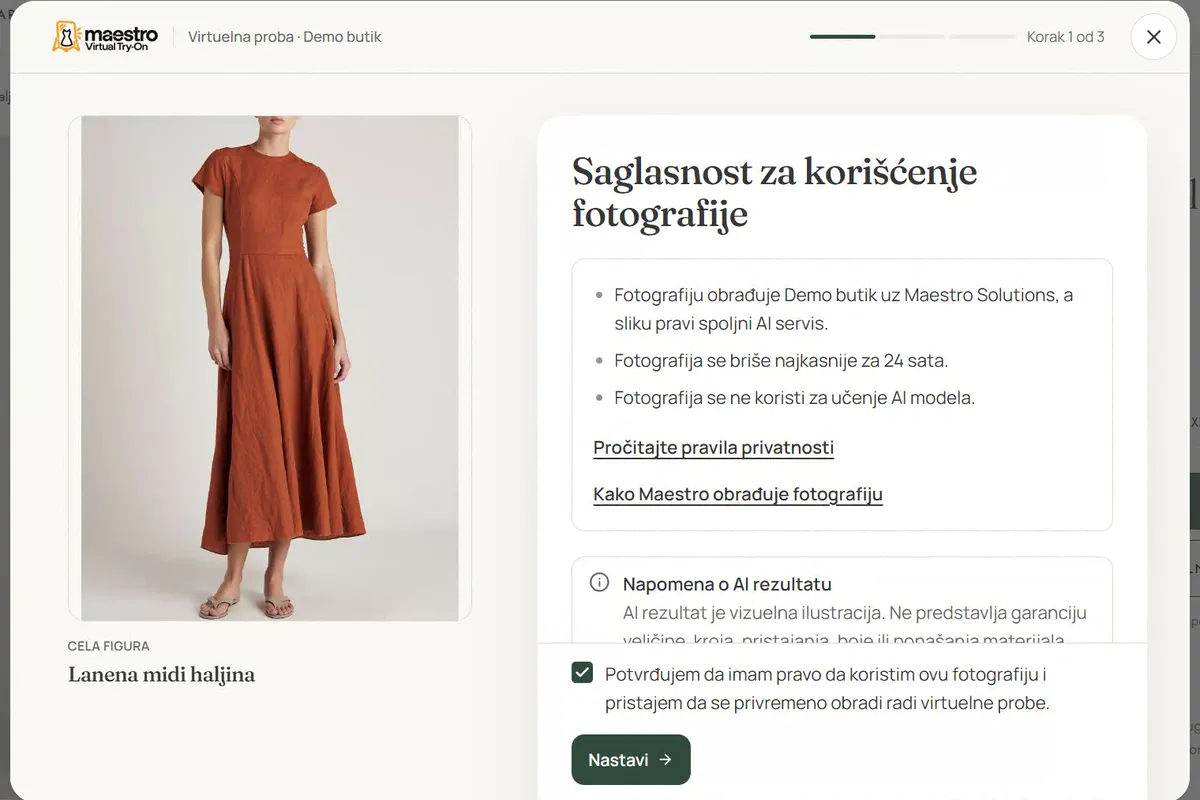
The product page has a Try on virtually button. The try-on opens in a window over the page: the shopper confirms consent, then takes or chooses a full-body photo. They create no account and no password.
Half a minute
to the result.
The shopper follows the processing steps and can cancel, and the photo is then deleted. On a computer a slider compares the original and the try-on across the full figure, and the shopper can download the result.
The same photo,
four items.
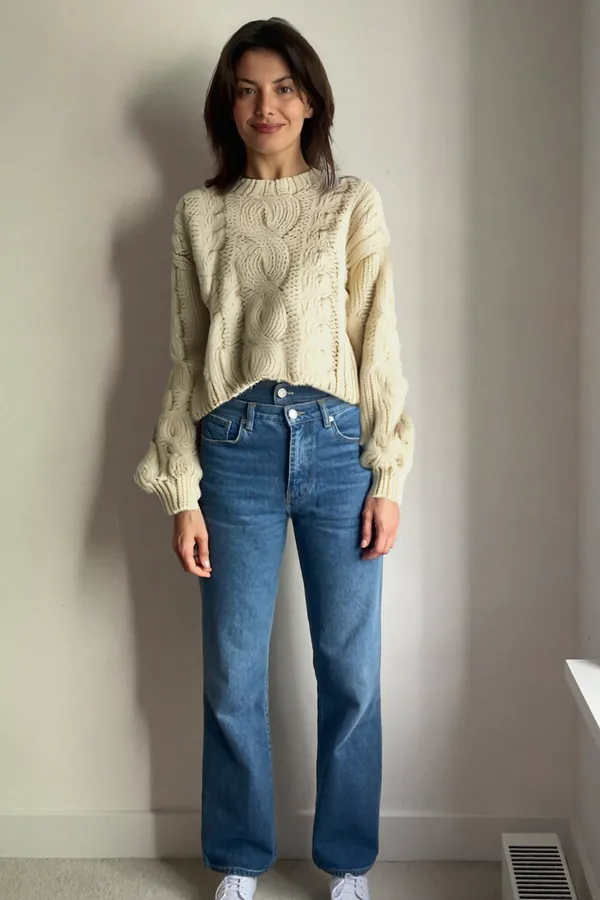
Four real try-ons from one shopper photo: top, bottom and full body. Each try-on comes with the processing time measured during recording.
On a phone
across the full screen.
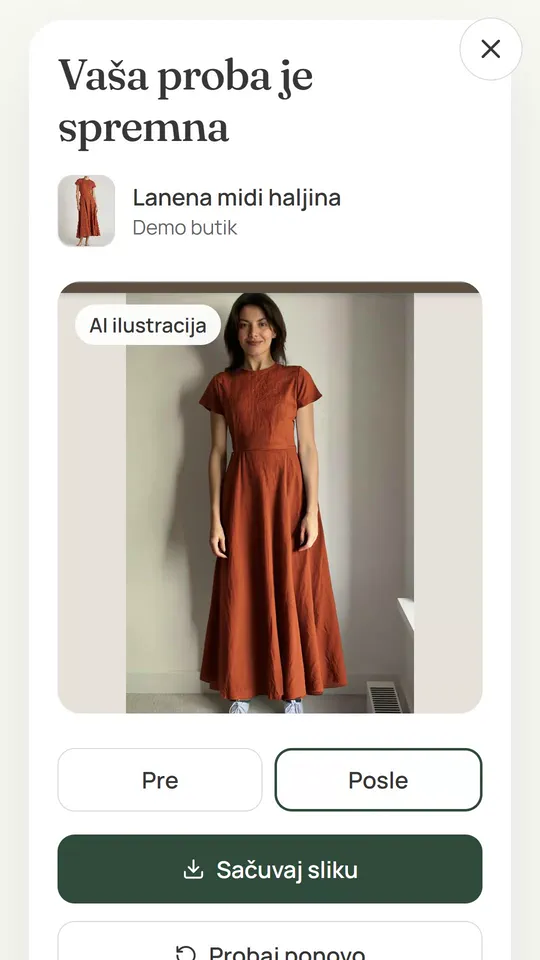
The same flow works on a phone and on a computer. On a phone the try-on takes the full screen, and the result is compared with Before and After tabs, without leaving the site.
One script
and one button.
Your developer adds the script and a button with the item code and name. We open and set up your shop on the platform, with no new server or database on your side.
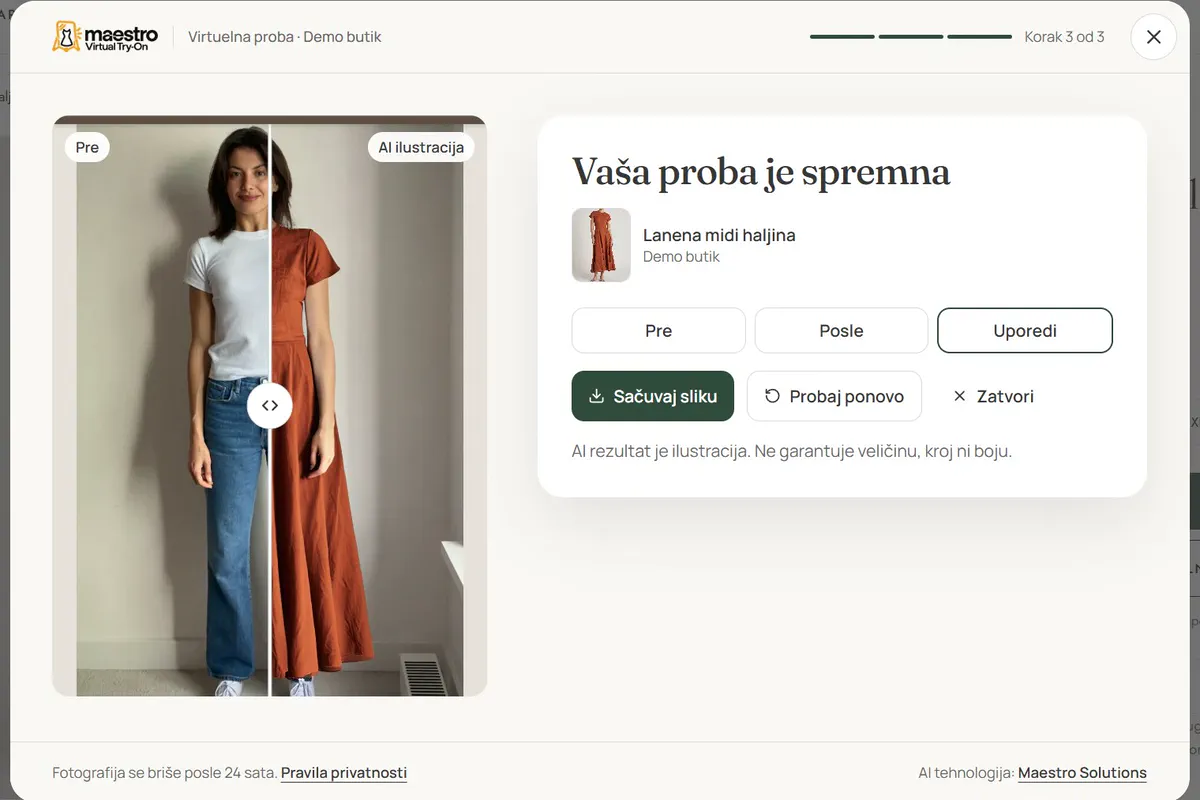
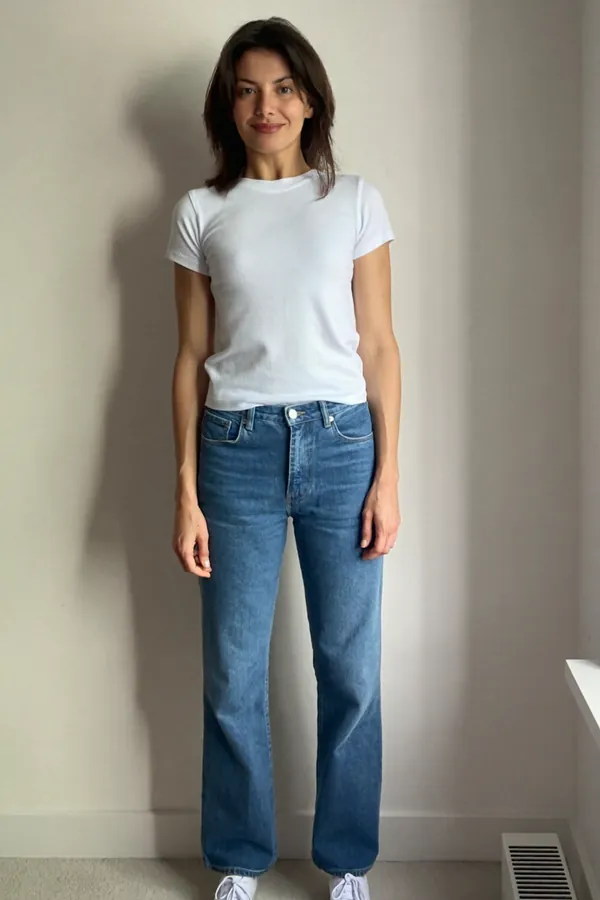
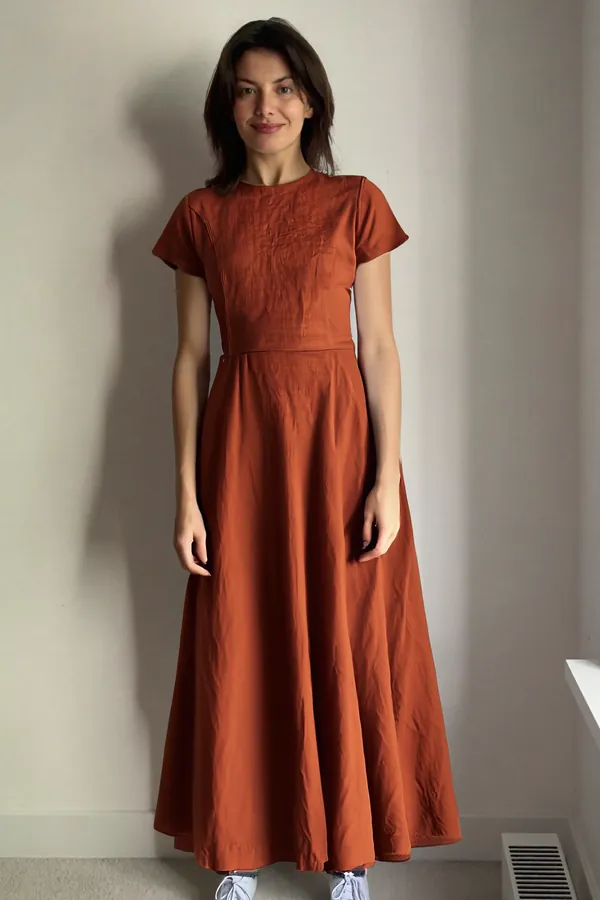
 Linen midi dressProcessed in 33 seconds
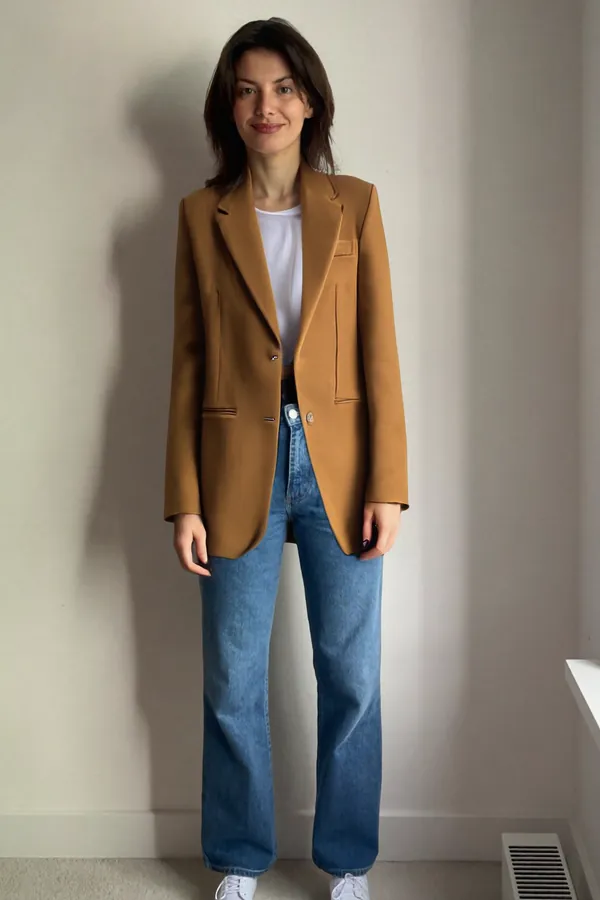
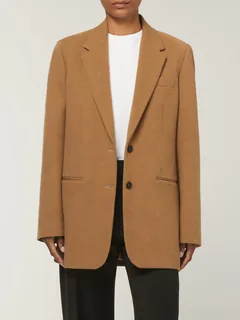 Wool blazerProcessed in 29 seconds
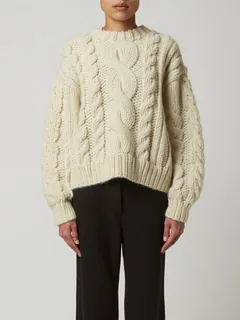 Cable-knit sweaterProcessed in 30 seconds
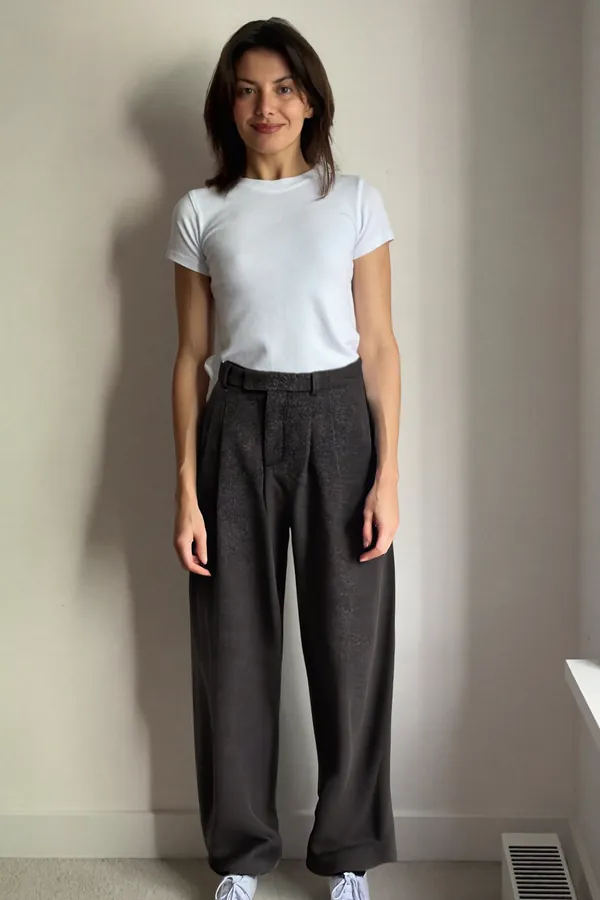
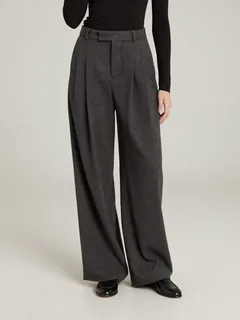 Wide pleated trousersProcessed in 33 seconds
The demo boutique, the person and the items are generated. All try-ons are real, from the platform.
<script async src="https://vto.maestro-solutions.org/widget.js"
  data-client-key="pk_your_shop_..."></script>

<button type="button"
  data-maestro-tryon
  data-maestro-sku="2041"
  data-maestro-product-name="Linen midi dress">
  Try on virtually
</button>- Your name and color
- The try-on window carries your shop's name and color. The button looks the way your site styles it.
- Security policy
- The developer allows the widget and API addresses in the site's security policy. No new server or database is needed on your side.
Consent before,
deletion after.
Before sending the photo, the shopper sees who is responsible for processing it and how long the photo is kept.
- Consent before the photo
- The consent box is never checked in advance. The window states that your shop is responsible for processing the photo.
- 24 hours at most
- The photo is deleted as soon as it is sent for processing, and after 24 hours at the latest. The result is kept for 24 hours, and the shop can shorten both periods.
- No AI model training
- Shoppers' photos are not used to train AI models.
- An illustration, not a guarantee
- The result is a visual illustration. It does not guarantee size, cut, fit, color or how the fabric behaves, and the try-on window tells the shopper so.
From the demo
to the first try-on.
You send us your web shop details, and we open and set up your shop on the platform.
- 1
A 30-minute demo
We go through the whole try-on flow and what your web shop needs, in person or over a video call.
- 2
You send your shop details
The web shop platform, the item code format, where the item images are, the categories and the site domains.
- 3
We open your shop
The try-on window gets your shop's name and color. Everything runs on our platform, with no new server or database on your side.
- 4
The developer adds the button
One script and a button with the item code and name on the product page. After that, shoppers can try items on.
A monthly plan
of successful tries.
The shop picks a plan by the number of tries it expects and adds a top-up when the monthly tries run out.
1,000 successful tries per month
Every plan
- Try-on window with your shop's name and color
- Top-up of 500 tries for €99
One-time setup €199.
We choose the plan together at the demo, with no obligation.
Book a demo- Top-up
- Valid for six months and used only once the monthly tries run out.
- What the setup covers
- Opening your shop on the platform and setting up the try-on window.
- Monthly subscription
- The first three months are the minimum.
- After that, month to month, with a 30-day notice period.
- How tries are counted
- A try that fails is not counted.
- A try the shopper cancels after sending it for processing is counted.
- Unused monthly tries do not carry over to the next month.
- When the tries run out, new tries stop until a top-up is added.
Prices are in euros. Clients outside Serbia are invoiced in EUR, clients in Serbia in dinars at the National Bank of Serbia middle rate on the invoice date. No VAT is charged.
Questions we
get from shops.
See the try-on
live.
In a 30-minute demo we go through the whole try-on flow and what your web shop needs. We confirm the time by email within 24 hours on business days.
If you are in a hurry, call us directly.
+381 62 476 366